Track Time, Not Just Tasks
One tap to start. See your timer on your iPhone Lock Screen or Mac menu bar. Finally know where your hours go.

Available on iPhone, iPad, and Mac • Free plan available
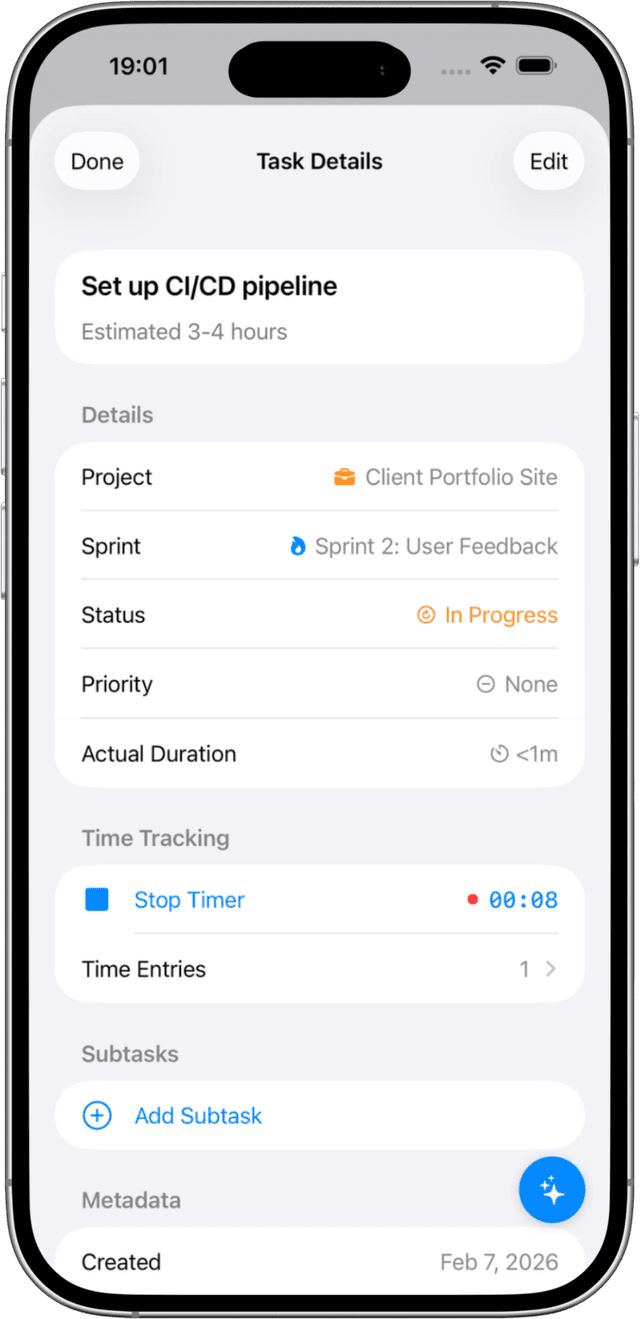
One-Tap Time Tracking
Start tracking time on any task with a single tap. No complicated setup, no separate time tracking app needed.
- Start, pause, and resume with one tap
- Timer keeps running in the background
- Time entries saved automatically when you stop
- Add time entries manually when needed
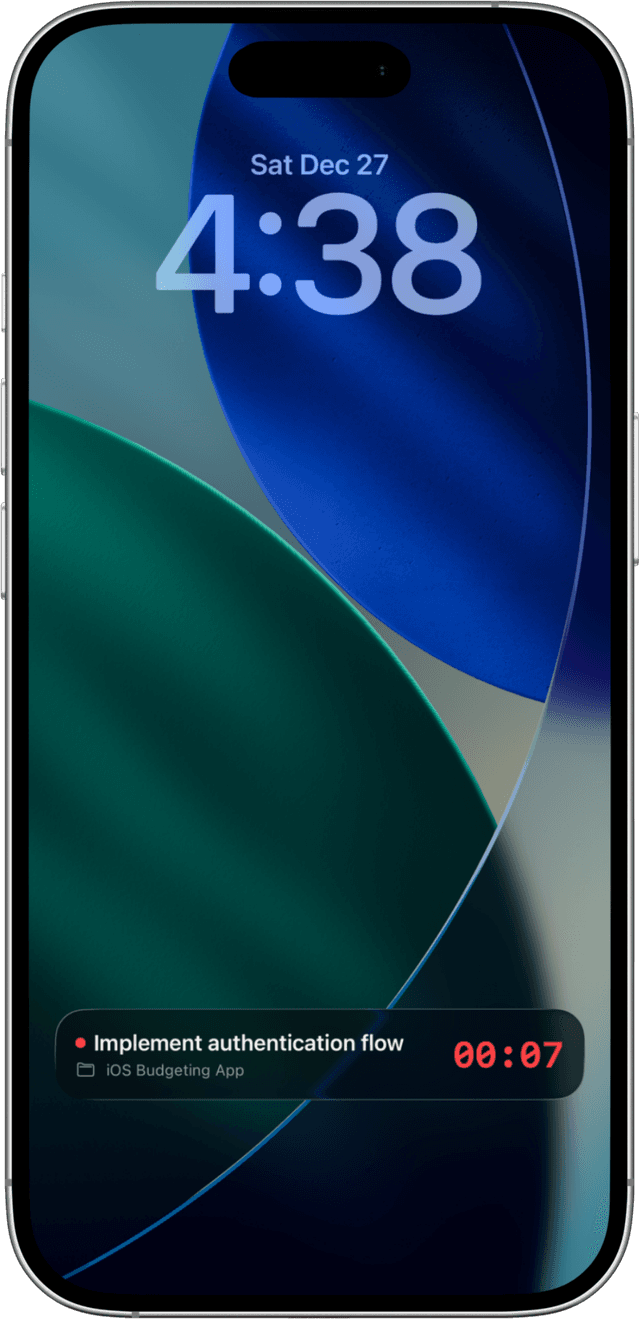
Live Activities on iPhone
See your running timer directly on your Lock Screen without unlocking your phone. The Dynamic Island shows your timer at a glance.
- Check your timer without unlocking your phone
- Dynamic Island keeps you aware at a glance
- Stop your timer right from the Lock Screen
- Stay focused without app-switching
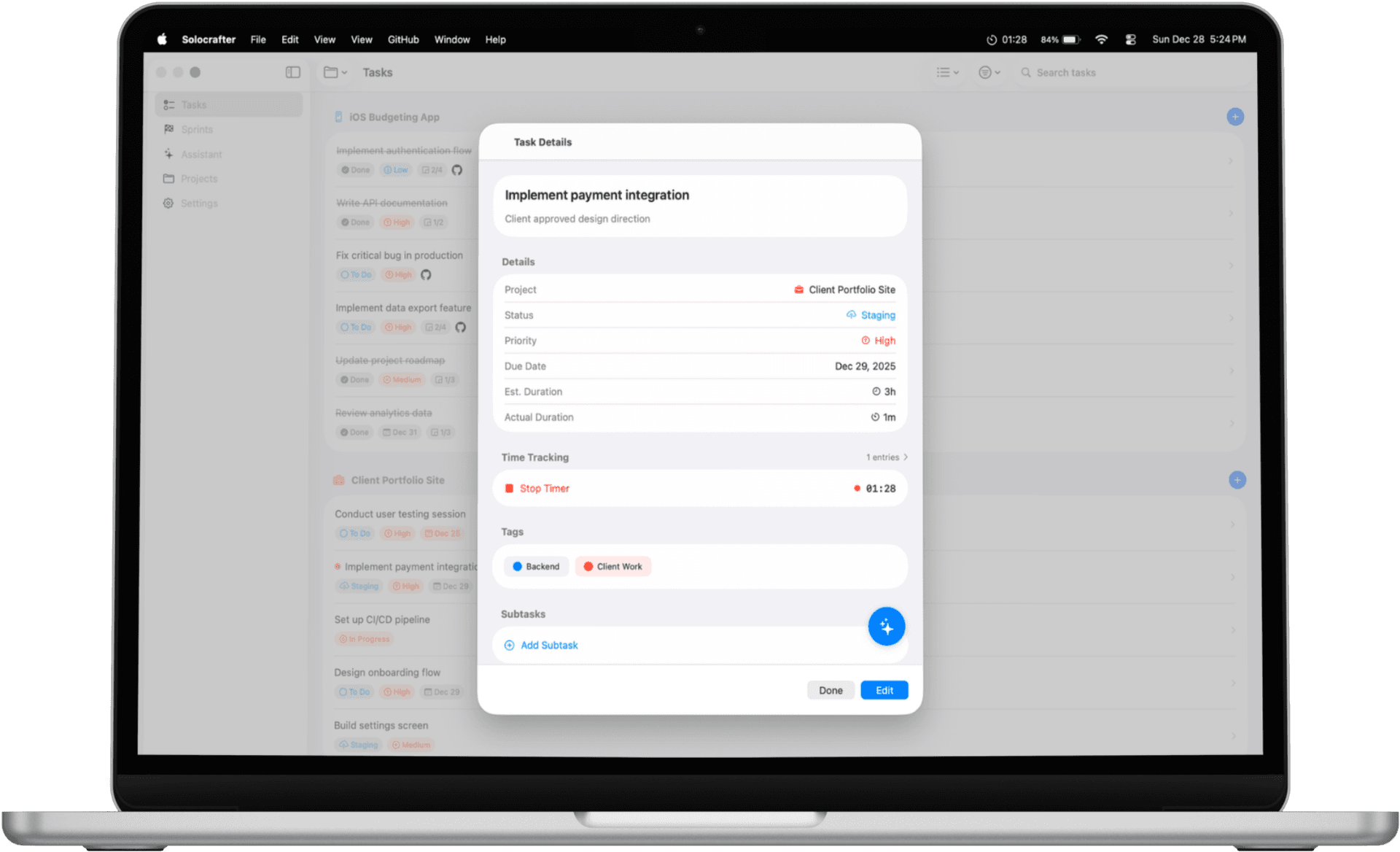
Mac Menu Bar Timer
Your timer is always visible in the macOS menu bar. Keep track of time without switching apps or checking your phone.
- Always visible while you work
- See what you're working on at a glance
- Stop your timer without opening the app
- No interruptions to your flow
Know Where Your Time Goes
View time reports by day, week, or month. See breakdowns by project to understand your work patterns.
Daily View
See exactly how you spent today. Every time entry with start and end times.
Weekly Summary
Total hours this week with daily breakdown. Compare productivity across days.
Project Breakdown
See time distribution across projects. Percentage breakdown of where your hours go.
Perfect for Solo Professionals
Whether you bill by the hour or just want to understand your work patterns
Freelancers
Track billable hours accurately. Know exactly how much time you spent on each client project.
Developers
Understand how long features actually take. Improve sprint planning with real data.
Productivity Seekers
Discover where your time really goes. Identify time sinks and optimize your workflow.
Frequently Asked Questions
How easy is it to start tracking?
One tap. That's it. Tap the timer on any task and you're tracking. No setup, no configuration, no learning curve.
Can I track time across all my devices?
Absolutely. Start a timer on your iPhone, check it on your Mac, stop it from your iPad. Everything stays in sync automatically.
What if I forget to start the timer?
No problem. Add time entries manually for work you've already done. Life happens—we've got you covered.
Can I use this for client billing?
Yes. Track time by project, see breakdowns by client, and know exactly how many hours to invoice. No more guessing.
Is time tracking included in the free plan?
Yes, full time tracking is available to all users. Track as much as you need, no limits.
Start Tracking Your Time Today
Join solo professionals who know exactly where their hours go

Free plan includes time tracking • No credit card required