The Best Task Manager for Freelancers
AI-powered project management that keeps your client work private. Track billable hours, manage multiple projects, and stay organized—without team bloat or third-party servers.

Available on iPhone, iPad, and Mac • Free plan available
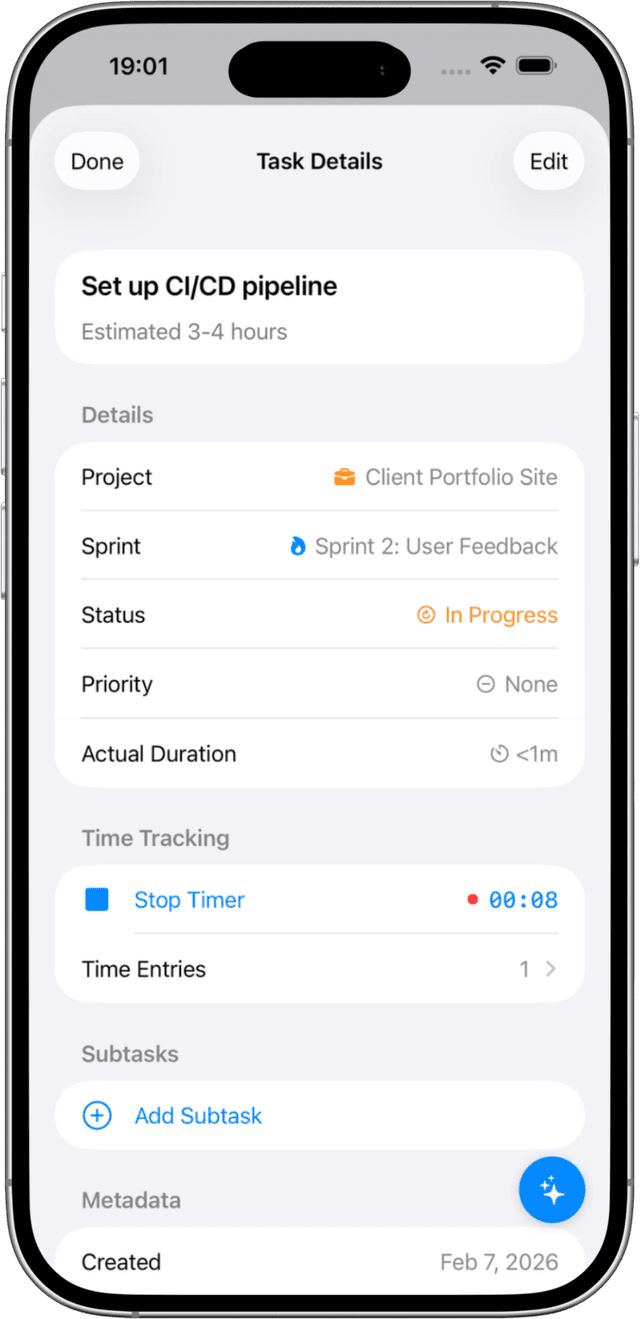
Track Time, Bill Accurately
Stop guessing how long projects take. Track time on every task and get accurate data for client invoices.
- One-tap timer on any task
- See total hours per project for invoicing
- Track time across iPhone, iPad, and Mac
- Never undercharge for your work again
Built for the Independent Professional
Most project management tools are designed for agencies and teams, leaving freelancers paying for features they'll never use.
Solocrafter is different—built from the ground up for solo professionals.
Multi-Client Management
- • Separate projects for each client
- • Custom colors and icons for quick recognition
- • Switch between client work instantly
AI-Powered Workflow
- • "Finish logo revisions for Acme by Friday"
- • AI extracts due dates, priorities, projects
- • 10 intelligent functions for your workflow
Deadline Tracking
- • Never miss a client deadline
- • Visual priority indicators
- • See all upcoming due dates at a glance
Affordable for Solopreneurs
- • Free plan to get started
- • No per-seat pricing that punishes growth
- • Premium features without enterprise prices
Perfect for Every Type of Freelancer
Designers & Creatives
Track revisions, manage client feedback, organize deliverables by project phase.
Writers & Editors
Manage editorial calendars, track drafts, organize by publication or client.
Consultants & Coaches
Keep client sessions organized, track action items, maintain confidentiality.
Frequently Asked Questions
What is the best task manager for freelancers?
The best task manager for freelancers should be privacy-focused, simple to use, and designed for individual workflows. Solocrafter is built specifically for this—with AI-powered task creation, client project organization, and complete data privacy.
How do I keep client projects private?
Solocrafter stores all your data locally on your devices and syncs via your personal iCloud account. No third-party servers ever see your tasks, ensuring complete client confidentiality.
Can I manage multiple client projects at once?
Yes. Create separate projects for each client with custom colors and icons. Use Kanban boards to visualize progress across all clients, or switch to list view for focused task execution.
Can I track billable hours for client invoicing?
Yes. Solocrafter includes built-in time tracking. Start a timer on any task with one tap, and view total hours per project for accurate client billing. Track time across iPhone, iPad, and Mac with automatic sync.
Is Solocrafter good for tracking deadlines?
Absolutely. Set due dates on any task, and Solocrafter shows you what's coming up. Use priorities to focus on urgent client work first, and never miss a deadline again.
Does Solocrafter work offline?
Yes. Solocrafter is a native app that works completely offline—perfect for working from coffee shops, flights, or anywhere without reliable internet. Your tasks sync automatically when you're back online.
Take Control of Your Freelance Business
Join freelancers who've switched from bloated tools to a task manager that respects their privacy and workflow.

Free to download • No credit card required • Cancel anytime